
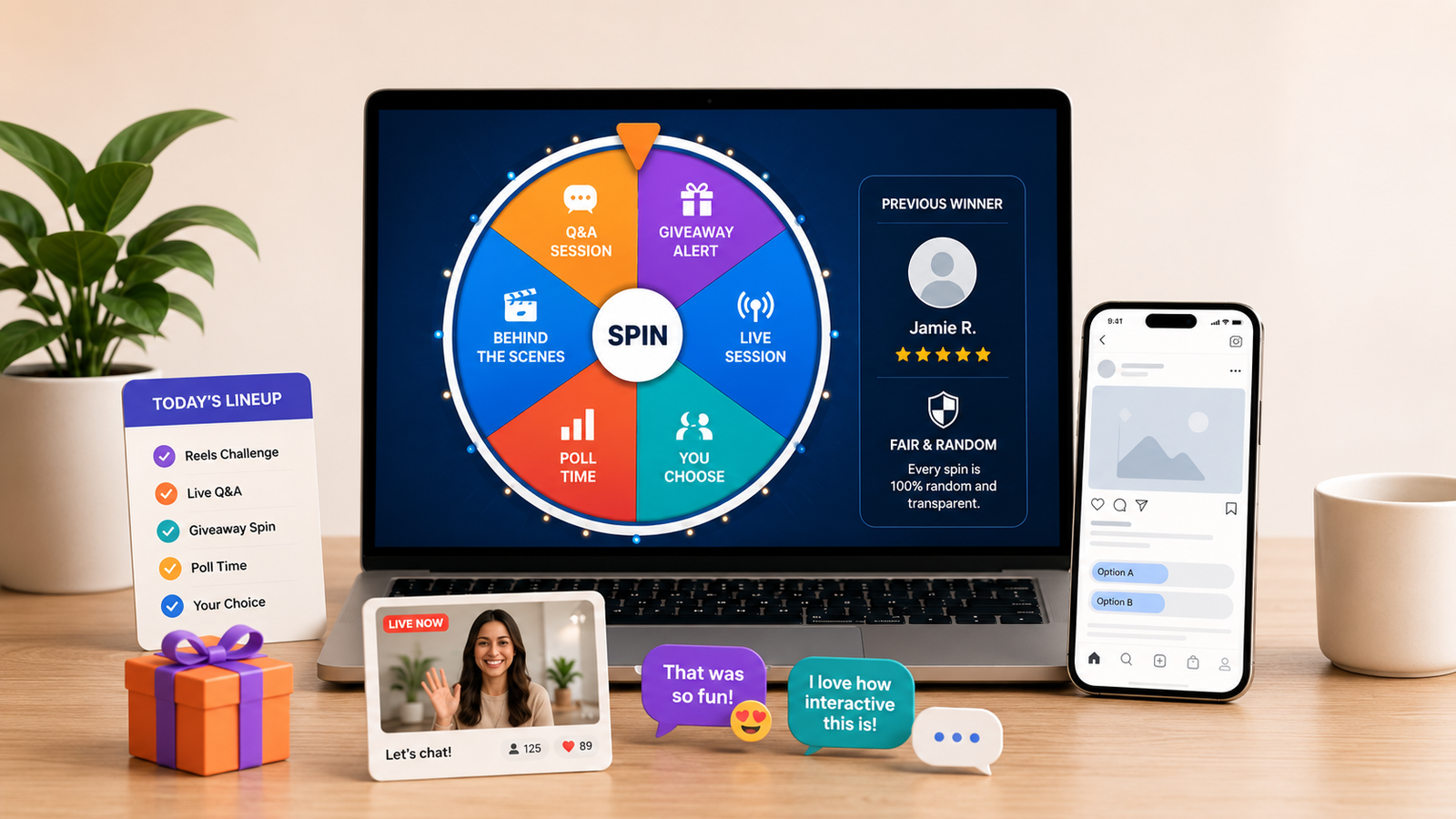
Social media pages need dozens of small decisions every week. Which topic should become the next Reel? Who should win a giveaway? What challenge should appear in a live session? These choices look simple, but making them manually can create delay, repetition, or doubts about fairness.
A spin wheel turns those moments into something visible, quick, and entertaining. Instead of quietly choosing an option, a creator can place every eligible choice on a wheel, spin it on screen, and let the result appear naturally. The process is easy to understand and adds suspense to Stories, livestreams, short videos, community posts, and group activities.
This guide explains practical ways social media users can use a spin wheel, including preparation, transparency, common mistakes, and ideas for creators and small businesses.
Make quick, fair, and transparent selections with our free online Spin Wheel for social media activities. Add names, content ideas, giveaway entries, or audience questions and let the wheel choose a random result.
Why a Spin Wheel Works Well on Social Media
People scroll quickly, so interactive content must be understood almost immediately. A colourful wheel communicates the basic idea: several options are available, the wheel will move, and one result will be selected. There is no long explanation required.
The movement creates anticipation, and viewers often stay to see where the pointer lands. A public spin can also make a selection feel open because names or choices are visible before the result.
To understand how random selections can improve fairness and transparency,read this guide to fair and unbiased random drawing before organising a giveaway or audience activity.
Start With a Clear Purpose
Before adding options, decide what the wheel should achieve. A wheel works best when all entries belong to one clear category. Mixing unrelated options can confuse viewers and weaken the result.
Use separate wheels for a giveaway winner, the next video topic, or a product colour. A focused spin is easier to understand and turn into content.
Create a custom selection using the free RandomCount Spin Wheel. Add the choices, review every entry, and spin when the audience is ready to watch.
Practical Spin Wheel Ideas for Social Media Users
1. Choose the Next Post or Reel Topic
Content planning becomes difficult when several ideas seem equally useful. Add three to eight suitable topics and let the wheel choose the next one. A food creator could add “quick breakfast,” “budget dinner,” “kitchen tip,” and “dessert.” A fitness page could choose between stretching, mobility, beginner exercises, or recovery tips.
This works well after collecting audience suggestions. Mention that the options came from comments or a Story question box, then record the spin so followers can see their ideas were considered.
2. Pick a Giveaway Winner Transparently
A visible random selection helps followers understand how a winner was chosen. Check every entry against the published rules. Remove duplicate, late, or ineligible entries according to those rules. Then place the final names on the wheel and record the spin without cutting around the result.
For larger lists, the Random List Picker may be faster because names can be pasted and selected with one click. The spin wheel is often better when the visual reveal is part of the content.
Giveaways should include official rules, eligibility details, dates, winner-selection information, and required disclaimers. Review the Instagram Promotion Guidelines before publishing an Instagram promotion, and follow the laws that apply where the campaign is available.
3. Make Livestreams More Interactive
A wheel can give structure to a live session without making it feel scripted. Add discussion prompts, mini challenges, audience questions, tutorial steps, or harmless rewards. Spin whenever the conversation slows down or the audience reaches a participation goal.
Keep options readable on a phone screen. Use short labels such as “Q&A,” “behind the scenes,” “quick tutorial,” or “viewer choice,” and explain unclear options before spinning.
4. Select Comment Questions Fairly
Creators often receive more questions than they can answer in one post. Copy a manageable selection, assign each question a short label, and let the wheel decide the answer order. This prevents the creator from repeatedly choosing only familiar or easy questions.
When showing a username or comment, protect personal details and avoid presenting it in an embarrassing context.
5. Run a “What Happens Next?” Series
Use the wheel to guide an ongoing series. A craft page might spin for the next material, colour, or style. A photography page could select a location type, lighting setup, or editing theme. A study account might choose a subject, revision method, or desk challenge.
The wheel should guide creativity rather than replace judgment. Remove options that are unsafe, misleading, unsuitable for the audience, or impossible to complete properly. Random does not mean every idea must be accepted.
6. Decide Between Visual Styles
When a post has several reasonable design directions, add options such as “minimal,” “bold,” “pastel,” “dark,” or “retro.” The result can choose the style for the next post while the brand’s main identity stays consistent.
After the spin, use the Random Color Picker to explore colour values, or prepare the final graphic with the correct dimensions using the Image Resizer. These tools help turn the wheel’s decision into a finished social media asset.
How to Prepare the Wheel Properly
A fair-looking spin begins with careful preparation. Write each option in the same style and check for accidental duplicates. If one person has earned multiple entries under the published rules, represent those entries consistently. If everyone is allowed only one entry, remove repeated names before spinning.
Show or mention the final number of eligible entries. For public giveaways, save the original list and the cleaned list. This creates a simple record of how the selection was prepared if someone asks a reasonable question later.
Test the wheel before recording, but do not test with the real final list if the first valid spin must select the winner. Test with sample labels, reset the tool, add the approved entries, and then record the official selection.
How to Record a Trustworthy Spin
Start recording before pressing the spin button. Keep the wheel and pointer visible, and avoid transitions that hide the moment between starting and stopping. If the selected name is hard to read, pause on the result and repeat it clearly in text or speech.
For a giveaway, explain what happens next. State how the winner will be contacted, how long they have to respond, and whether a replacement will be selected if the original winner does not meet the rules. Never ask a winner to pay an unexpected fee or share sensitive information through an unverified account.
Save the full recording before editing a shorter version for Stories or Reels. The complete clip provides context, while the shorter edit keeps the published content moving.
Ways to Make the Spin More Engaging
Build anticipation with a simple introduction. Tell viewers what the wheel will decide and show the options long enough to be read. A countdown can work, but it should not delay the result unnecessarily.
Use a clean layout with enough contrast around the wheel. Avoid covering the pointer with stickers, captions, or reaction graphics. If you add music, keep spoken rules and the final result easy to hear.
After the spin, ask viewers to suggest new options, vote on a future category, or watch for the selected topic. This keeps the interaction moving.
Common Mistakes to Avoid
Do not add ineligible names, change rules after entries close, or respin because the first result is inconvenient. A respin should happen only for a reason covered by the published rules, such as an invalid entry or failure to respond within the stated period.
Do not present a spin as proof of legal compliance or perfect technical randomness. The wheel is a practical selection and engagement tool, but the organiser remains responsible for entry handling, clear terms, privacy, prize delivery, and platform requirements.
Finally, do not overuse the format. If every small decision becomes a spin, the surprise fades. Save it for moments where randomness adds fairness, entertainment, or genuine audience involvement.
Frequently Asked Questions
Can I use a spin wheel to choose a social media giveaway winner?
Yes. Add only verified eligible entries, record the complete selection, and follow your published rules and the promotion requirements of the platform you use.
How many options should I add to a social media spin wheel?
There is no single ideal number. Use enough options to make the choice meaningful while keeping labels readable. Three to eight options work well for content topics, while winner lists may be larger.
Should I record the full wheel spin?
Recording from before the spin begins until the result appears makes the process easier to understand. Keep the original full recording even if you publish a shorter edit.
Final Thoughts
A spin wheel can turn a social media decision into a clear, watchable moment. It helps creators choose topics, organise live sessions, select questions, explore visual ideas, and reveal giveaway winners without quietly favouring one option.
The strongest results come from preparation rather than animation alone. Use a clean list, explain the purpose, follow published rules, record the selection, and communicate what happens after the wheel stops. When those details are handled well, the spin feels natural and gives the audience a reason to stay involved.
Ready to try it? Open the RandomCount Spin Wheel, add your options, and turn your next social media choice into an interactive experience.