
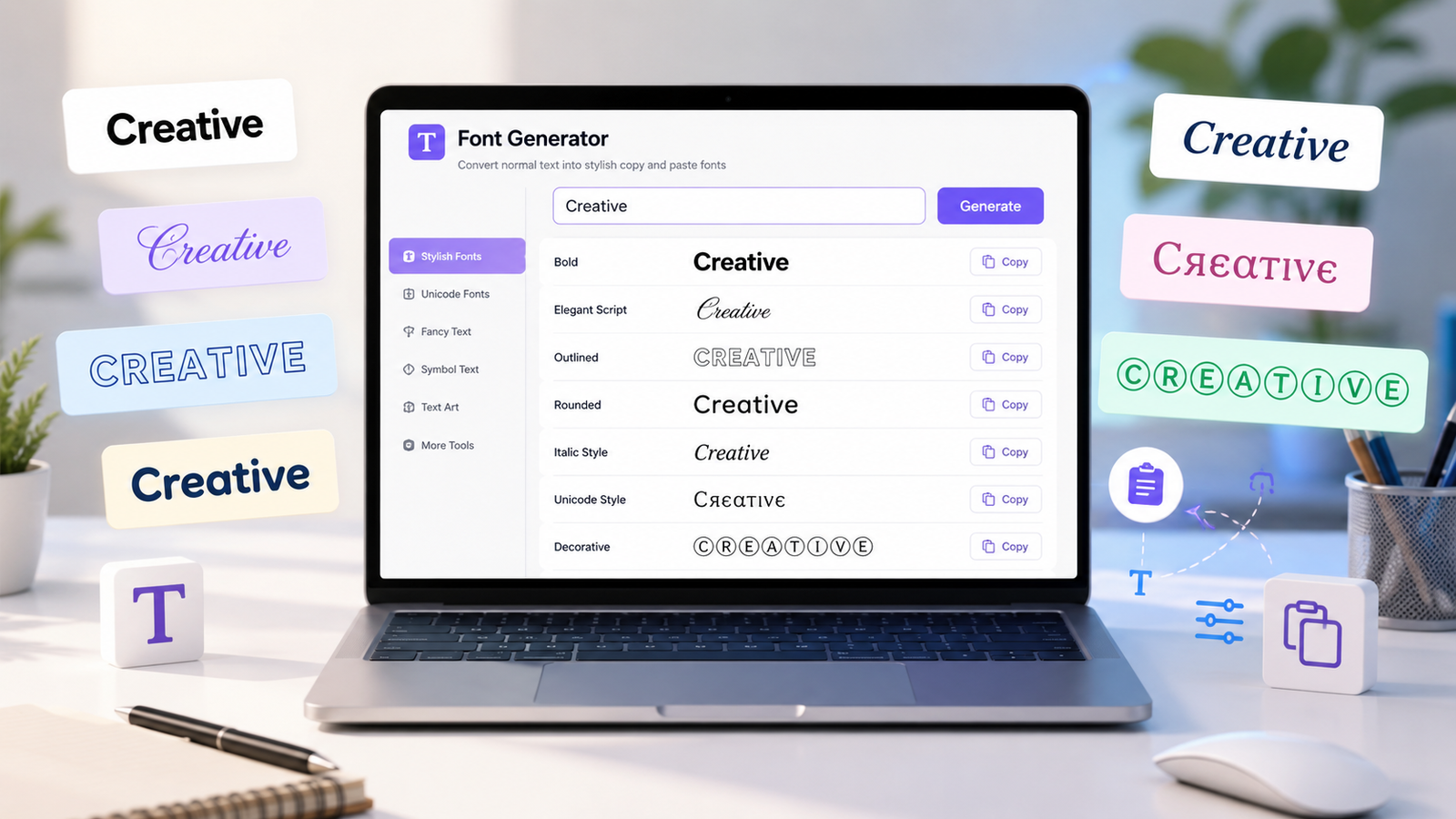
Sometimes plain text does the job perfectly. Other times, you want a name, short message, profile bio, or caption to have a little more personality. That is where a font generator becomes useful. Instead of opening design software or installing a collection of fonts, you can type ordinary text into an online tool, choose a style you like, copy it, and paste it where you need it.
The process takes only a few seconds, which is one reason stylish text has become common in social media bios, gaming profiles, messages, captions, display names, and other creative spaces online.
However, there is an interesting detail behind these tools. Many of the results people casually call "fonts" are actually special text characters. Understanding that difference makes it easier to know where stylish text works well and when plain text remains the better choice.
What Is a Font Generator?
A font generator is an online tool that takes the text you enter and produces different-looking versions that you can copy and paste. You might enter a simple phrase such as "Good Morning" and see it displayed in bold-looking, italic-style, script-like, outlined, circled, or other decorative variations.
You can try this yourself with the RandomCount Font Generator. Enter your text, look through the available styles, choose one that suits your purpose, and copy the result.
This is quite different from changing the font inside a program such as a word processor. With a traditional font, the underlying characters usually remain the same while the software changes how those characters are drawn. With many copy-and-paste text generators, the resulting string can contain different Unicode characters that resemble familiar letters.
Why Is It Called Copy and Paste Text?
The biggest advantage is convenience. You do not normally have to download a font file, install anything on your computer, or learn a design program. Once you find a style you like, you simply copy the generated characters and try pasting them into the destination.
This makes a font generator useful when you want decorative text somewhere that does not provide a traditional font-selection menu.
For example, a profile field may allow you to enter text but give you no choice of typeface. Copy-and-paste text gives you another way to experiment with the appearance of that field, provided the characters are supported by the platform.
How Does a Font Generator Actually Work?
The easiest way to understand the process is to separate a font from a character.
When you type a normal letter, your device stores and processes it as a character. A font determines how that character is visually rendered. Unicode, meanwhile, provides a universal system for representing text characters used by computers and digital platforms.
The Unicode Standard supports text processing and interchange across languages, writing systems, symbols, and many other characters.
A fancy text generator can use suitable Unicode characters to create visual variations of ordinary text. That is why the generated result can often be copied as text rather than downloaded as an image.
Fancy text often uses Unicode characters that may appear differently depending on the font and device. You can learn more about the relationship between characters and fonts from the Unicode Fonts and Keyboards guide.
This distinction also explains why a generated style may look slightly different from one device or application to another. The final appearance depends partly on how the receiving system renders the characters.
How to Use the RandomCount Font Generator
You do not need technical knowledge to create stylish text. The basic process is straightforward.
- Open the RandomCount Font Generator in your browser.
- Type the word, name, phrase, or short message you want to style.
- Browse the generated text variations.
- Choose a style that is easy to read and suits your purpose.
- Copy your preferred version.
- Paste it into the profile, caption, message, username field, or other supported destination.
- Check the final result before publishing or saving it.
That last step matters. A style that looks good inside the generator may appear slightly different after being pasted elsewhere. Testing the final result takes only a moment and can prevent awkward formatting.
Where Can Stylish Text Be Useful?
A font generator is not limited to one type of user. Its usefulness comes from the fact that a small visual change can make short pieces of text feel more distinctive.
1. Social Media Profiles
Profile bios are usually small spaces, so even a subtle text variation can make a name, short phrase, hobby, or section heading stand out. Instead of styling every sentence, you can use decorative text for one or two important elements and keep the rest readable.
2. Captions and Short Posts
Stylish text can be useful for a short heading or opening phrase in a caption. A creator might use it for a recurring series title, a simple announcement, or a word they want readers to notice first.
The important thing is moderation. If an entire paragraph is filled with decorative characters, the visual effect can become tiring rather than attractive.
3. Gaming Names and Profiles
Gaming communities are full of creative display names. A font generator can help you experiment with different versions of a nickname or clan-related text before choosing the one that fits your style.
Not every game accepts every character, though, so always paste and test your chosen version before relying on it.
4. Messages and Greetings
A birthday wish, congratulations message, festival greeting, or friendly note can feel a little different when one short phrase is styled creatively. This is an easy use case because you can experiment without redesigning the entire message.
5. Creative Titles and Labels
Stylish characters can also be useful when brainstorming names, labels, headings, or decorative text for personal projects. You can quickly compare several appearances and decide which direction feels right.
Font Generator vs Traditional Fonts
These two ideas are often confused, but they serve different purposes.
A traditional font is a designed typeface installed on or delivered to a device. Examples include the fonts you select in document editors and graphic design applications. Changing the font generally changes the glyph used to display the same underlying character.
A copy-and-paste font generator often takes another approach. It creates text using alternative Unicode characters that have a visually different appearance. The output therefore travels with the copied text rather than requiring you to send a font file to another person.
This portability is convenient, but it also comes with limitations. Unicode text is not a replacement for professional typography. If you are designing a company logo, printed brochure, brand identity, packaging, or detailed website interface, proper typefaces and design tools are usually more appropriate.
Why Readability Matters More Than Decoration
It is tempting to choose the most unusual style simply because it attracts attention. In practice, the best-looking option is often the one that balances personality with readability.
Imagine a profile where the name, biography, location, interests, links, and every other line use heavily decorated characters. Nothing has visual priority anymore. The decoration becomes the background noise.
A better approach is to choose specific places where styling adds something useful. You might style a short name or heading and leave longer information in normal text. This creates contrast without making the reader work harder.
Before using a style, ask a simple question: can someone understand this immediately? If you need to stare at the letters to figure out what they say, try a cleaner variation.
Will Fancy Text Look the Same Everywhere?
Not necessarily. Devices, operating systems, browsers, apps, games, and websites can handle characters differently. A particular style may display perfectly in one environment but appear differently in another. In some cases, unsupported characters may not render as expected.
For that reason, previewing is an important part of using any fancy text generator.
If the text is important, test it on the actual platform where people will see it. For social content, it can also be helpful to check the result on both desktop and mobile when possible.
Can You Use Fancy Fonts in Usernames?
Sometimes, but the answer depends on the platform.
A service may allow decorative Unicode characters in a display name while restricting them in the unique username used for account identification. Another platform may limit which characters can be entered at all.
The font generator can create the text, but the destination platform ultimately decides what it accepts.
If your preferred version is rejected, try a simpler style rather than repeatedly forcing unsupported characters into the field.
Common Mistakes to Avoid
The first mistake is using too much decorative text. Fancy characters work best as an accent. Long blocks are usually easier to consume in standard text.
The second mistake is choosing appearance over clarity. A visually complex word is not particularly useful if people cannot read it.
Another common mistake is assuming every platform supports exactly the same characters. Always test the output where you intend to use it.
It is also wise to keep important information such as instructions, addresses, essential account details, or long explanations in clear text. Decorative styles are better suited to creative presentation than critical communication.
Tips for Choosing the Right Text Style
Start by thinking about the mood you want. A clean bold-looking variation can feel strong and direct, while a script-like style may feel more decorative. Rounded or unusual characters can create a playful appearance.
Next, consider the length of the text. Elaborate styles that look attractive on a two-word name may become difficult to follow across several sentences.
Finally, think about context. A gaming nickname gives you more freedom to experiment than a professional introduction. A birthday greeting can be playful, while an informational message usually benefits from simpler formatting.
There is no single "best" fancy font. The best option is the one that fits the message without getting in its way.
Do Font Generators Create Images?
Copy-and-paste font generators generally focus on text rather than turning every result into a picture. This distinction is useful because text can be selected, copied, pasted, and edited more easily than lettering baked into an image.
If you need a graphic for a poster, logo, advertisement, or social media design, a proper graphic design workflow may be more suitable. If you simply want a stylish version of a name or short phrase that you can paste elsewhere, a text-based font generator is the quicker option.
When Should You Keep Normal Text?
Stylish text is optional, not an upgrade that every sentence needs.
Normal text remains the safest choice for articles, long descriptions, instructions, important notices, forms, professional documents, and anything where quick comprehension is the main goal.
Think of fancy text like seasoning. A small amount can give something character. Too much can overpower everything else.
Frequently Asked Questions
What is a font generator?
A font generator is an online tool that transforms ordinary text into different stylish text variations. You can choose a result, copy it, and try pasting it into supported websites, apps, profiles, messages, and other text fields.
Are copy-and-paste fonts real fonts?
Many styles commonly described as copy-and-paste fonts are actually created with different Unicode characters rather than downloadable font files. That is why the result can often be copied and pasted as text.
Can I use a font generator for social media?
Stylish text can be useful for profile names, bios, short headings, captions, and other creative text where the platform supports the characters. Always preview the result before publishing.
Why do some fancy characters not work on a website or game?
Character support varies between platforms, applications, devices, and rendering systems. A service may also deliberately restrict the characters allowed in usernames or other fields.
Should I use fancy text for an entire paragraph?
Usually, no. Decorative text is most effective for short phrases, names, or headings. Standard text is generally easier to read for longer passages and important information.
Do I need to install anything to use an online font generator?
No installation is normally needed for a browser-based font generator. You enter your text online, select a generated style, copy it, and paste it into a compatible destination.
Final Thoughts
A font generator gives ordinary text a creative twist without requiring complicated software or font installation. Type your words, explore the available variations, copy the one you like, and test it wherever you plan to use it.
The most effective results are usually simple: one stylish name, a short heading, a memorable phrase, or a small detail that helps your text feel different.
If you want to experiment, open the Font Generator on RandomCount, enter a short piece of text, and compare a few styles. You may find that a small change in presentation is enough to give familiar words an entirely new personality.