
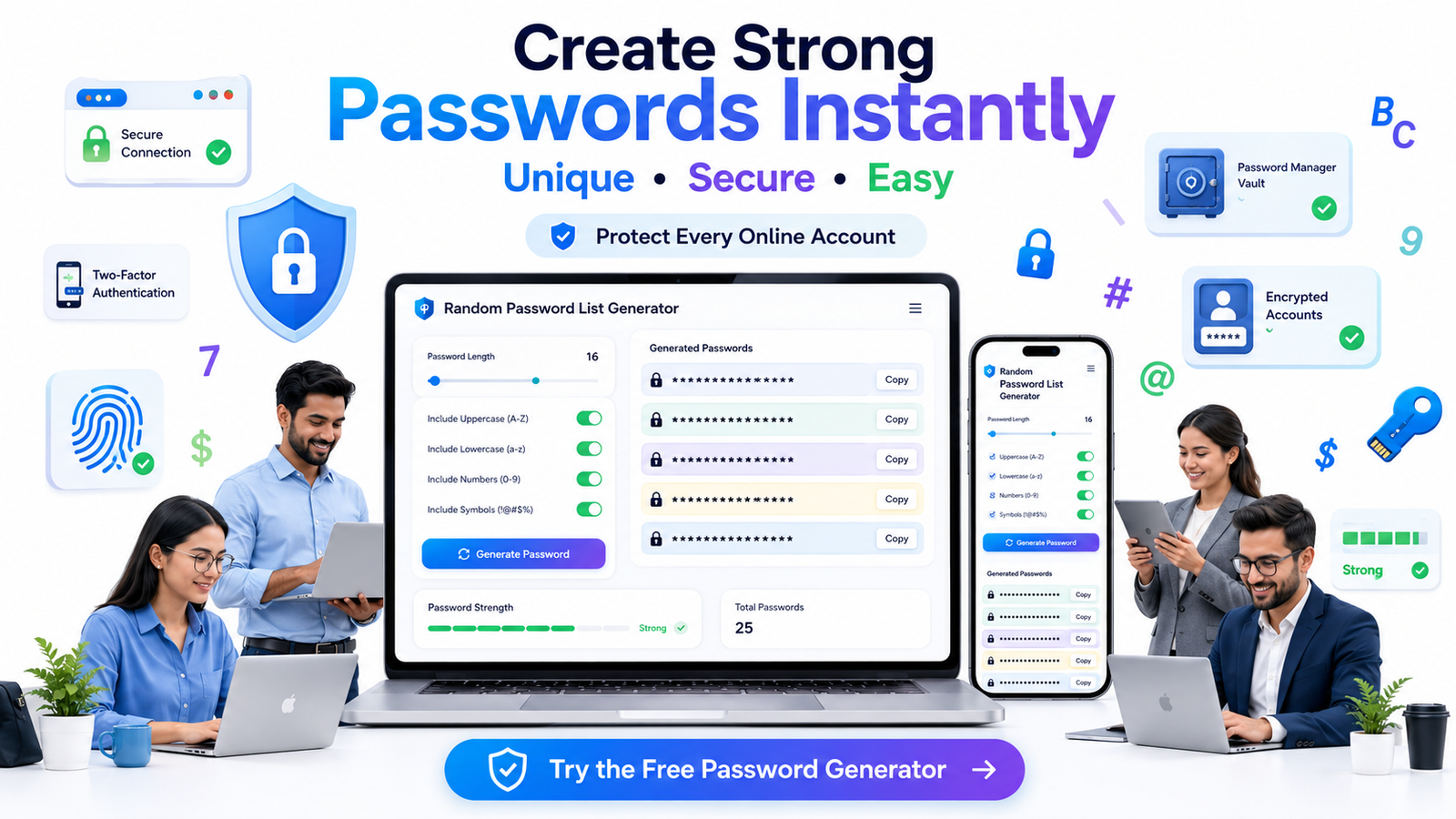
Creating strong passwords has become more important than ever. Whether you're signing up for a new website, managing work accounts, or organizing credentials for different projects, using unique passwords helps protect your information. Remembering dozens of different passwords can be difficult, which is why many people look for quick ways to generate secure password ideas.
A Random Password List Generator makes this process simple. Instead of thinking of combinations yourself, the tool instantly creates multiple random password suggestions using letters, numbers, and symbols. You can generate a list of secure passwords within seconds and choose the one that best fits your needs.
If you're looking for other productivity tools, explore the collection available on RandomCount, where you'll find several free generators designed for everyday use.
Create strong and secure passwords instantly using our Random Password Generator. Customize password length, include symbols, numbers, and uppercase letters to generate unique passwords for your online accounts.
What Is a Random Password List Generator?
A Random Password List Generator is an online utility that automatically creates random password combinations. Rather than producing predictable passwords like birthdays or common words, it generates unique combinations that are much harder to guess.
Most password generators allow you to customize the results by selecting:
- Password length
- Uppercase letters
- Lowercase letters
- Numbers
- Special symbols
- Number of passwords to generate
This flexibility makes the tool useful for individuals, freelancers, developers, businesses, students, and anyone who wants stronger account security.
Why Strong Passwords Matter
Many online accounts are compromised because people reuse the same password across multiple websites. If one website experiences a data breach, attackers often try the same password on other services.
Using randomly generated passwords significantly reduces this risk because every password is unique and difficult to predict.
According to the Cybersecurity and Infrastructure Security Agency (CISA), creating long and unique passwords is one of the easiest ways to improve online security.
Learn more about creating strong and secure passwords by reading Google's guide on How to Create Strong Passwords.
Benefits of Using a Random Password Generator
1. Saves Time
Instead of spending several minutes creating passwords manually, the generator produces multiple secure options instantly.
2. Better Security
Random combinations are much harder to guess than names, birthdays, or simple number sequences.
3. Multiple Passwords at Once
If you're creating accounts for a team, testing software, or preparing login credentials, generating an entire list saves valuable time.
4. Easy Customization
You can control password length and complexity depending on where the password will be used.
5. Completely Free
Most online password generators, including tools available on RandomCount, can be used without creating an account.
Who Can Benefit from This Tool?
Random password generators are useful for many different users:
- Students creating school accounts
- Office employees managing multiple systems
- Software developers testing authentication
- IT administrators generating temporary passwords
- Small business owners securing company accounts
- Freelancers handling multiple client logins
- Website administrators
- Digital marketers managing online platforms
Tips for Creating Secure Passwords
Even with a password generator, following a few best practices helps improve security even further.
- Choose passwords that are at least 12–16 characters long.
- Include uppercase and lowercase letters.
- Add numbers and special symbols.
- Never reuse passwords across different websites.
- Store passwords in a trusted password manager instead of writing them on paper.
- Enable two-factor authentication whenever possible.
Common Password Mistakes to Avoid
Many users unknowingly weaken their security by making predictable choices. Avoid using information that others can easily guess, such as birthdays, names, mobile numbers, or favorite sports teams. Simple patterns like "123456", "password", or "qwerty" remain among the most commonly used passwords worldwide.
Another common mistake is using slight variations of the same password across multiple accounts. Even changing only one number or symbol doesn't provide enough protection if one account is compromised.
When Should You Generate New Passwords?
It's a good habit to create new passwords whenever you open a new online account, share access with someone temporarily, or suspect that your credentials may have been exposed. Businesses also benefit from updating passwords periodically for shared systems and administrative accounts.
Using a fresh, randomly generated password each time helps reduce the chances of unauthorized access and keeps your accounts better protected over the long term.
How to Use the Random Password Generator
Creating a password with RandomCount does not require registration, installation, or technical knowledge. Open the Random Password Generator, choose the password length, and select the character types you want to include.
- Choose the required password length.
- Select uppercase and lowercase letters.
- Enable numbers and symbols when the website supports them.
- Click the generate button to create a new combination.
- Copy the password and save it in a trusted password manager.
If the first result does not match the requirements of the account you are creating, simply generate another one. There is no need to modify a generated password by adding predictable information such as your name, birth year, company name, or phone number.
Generated Passwords and Password Managers
A generator helps you create a strong combination, while a password manager helps you store and retrieve it. These two tools work best when used together. A password manager can keep separate credentials for different accounts, reducing the temptation to reuse one memorable password everywhere.
You only need to remember the main password used to unlock the manager. That main password should be long, unique, and different from every other credential you use.
The Cybersecurity and Infrastructure Security Agency recommends using strong, unique passwords and a password manager. It also encourages users to enable multifactor authentication for additional account protection.
Passwords for Personal and Business Accounts
Personal accounts and business systems may have different password rules. A shopping website might accept a simple combination of letters and numbers, while an office dashboard may require uppercase letters, lowercase letters, numbers, symbols, and a minimum length.
Before generating a password, check the requirements displayed by the website. Selecting the correct settings from the beginning prevents errors when creating or updating an account.
Businesses should also avoid sending permanent passwords through open group messages or unprotected documents. When temporary credentials are necessary, users should update them after their first successful login.
Why Password Reuse Creates Problems
Reusing a password may feel convenient, but it connects the security of multiple accounts. When the same credential is used for email, shopping, social media, and work platforms, exposure on one service can affect the others.
A safer approach is to generate a separate password for every important account. Unique credentials limit the impact of an exposed password and make it easier to replace only the affected login.
You can also use the Have I Been Pwned service to check whether an email address has appeared in known data breaches. Never enter an active password into an unfamiliar website to test its strength.
Explore More Free RandomCount Tools
RandomCount provides several browser-based tools for common tasks. After creating a secure password, you can try the Random Number Generator for number-based activities, use the Random List Picker to choose an item from a list, or open the Team Generator to divide participants into groups.
For a more visual decision-making activity, the Spin Wheel provides an engaging way to select an option at random.
Frequently Asked Questions
What is a Random Password List Generator?
It is an online tool that creates one or more unpredictable password suggestions using selected character types such as uppercase letters, lowercase letters, numbers, and symbols.
How long should a generated password be?
Use the longest password supported by the account. A length of at least 12 to 16 characters is a practical starting point, although longer combinations generally provide better resistance to guessing.
Should I use a different password for every account?
Yes. A unique password prevents the exposure of one account from immediately placing your other accounts at the same risk.
Where should I save generated passwords?
Store them in a reputable password manager. Avoid saving important passwords in plain-text documents, public notes, shared chats, or unprotected spreadsheets.
Does adding symbols always make a password stronger?
Symbols can increase complexity, but length and unpredictability also matter. A long, randomly generated combination is generally safer than a short password that contains only one symbol.
When should I replace a password?
Replace it when you believe it has been exposed, after receiving a genuine breach notification, when someone else has learned it, or when an account provider asks you to reset it for a valid security reason.
Final Thoughts
A Random Password List Generator removes the pressure of inventing new credentials manually. It creates unpredictable combinations quickly, helps users avoid familiar patterns, and makes it easier to use a different password for every account.
For better protection, generate a sufficiently long password, store it securely, avoid sharing it unnecessarily, and enable multifactor authentication wherever it is available. A password generator is a small utility, but using it consistently can support much safer account habits.